Keep the commitment and its exact meeting, note, message, task, or dataset together.
Features
Org2 is an open-source follow-through system for people who work with AI agents. It keeps the source behind a decision, delegates work with bounded context, brings back the decisions that need you, and records the finished result in local plain-text files you own.
The follow-through loop
Org2 carries a decision from its source through delegated work, human review, and a verifiable outcome.
Give a person or agent the bounded context and outcome they need.
Collect clarifications and consequential actions in one decision queue.
Return outputs, validation, and evidence to the durable source record.
Underneath, one parser turns ordinary files into shared semantics for the Mac app, VS Code, CLI tools, agent integrations, and publishing. Each client reads the same corpus instead of inventing its own interpretation.
Planning and linked notes
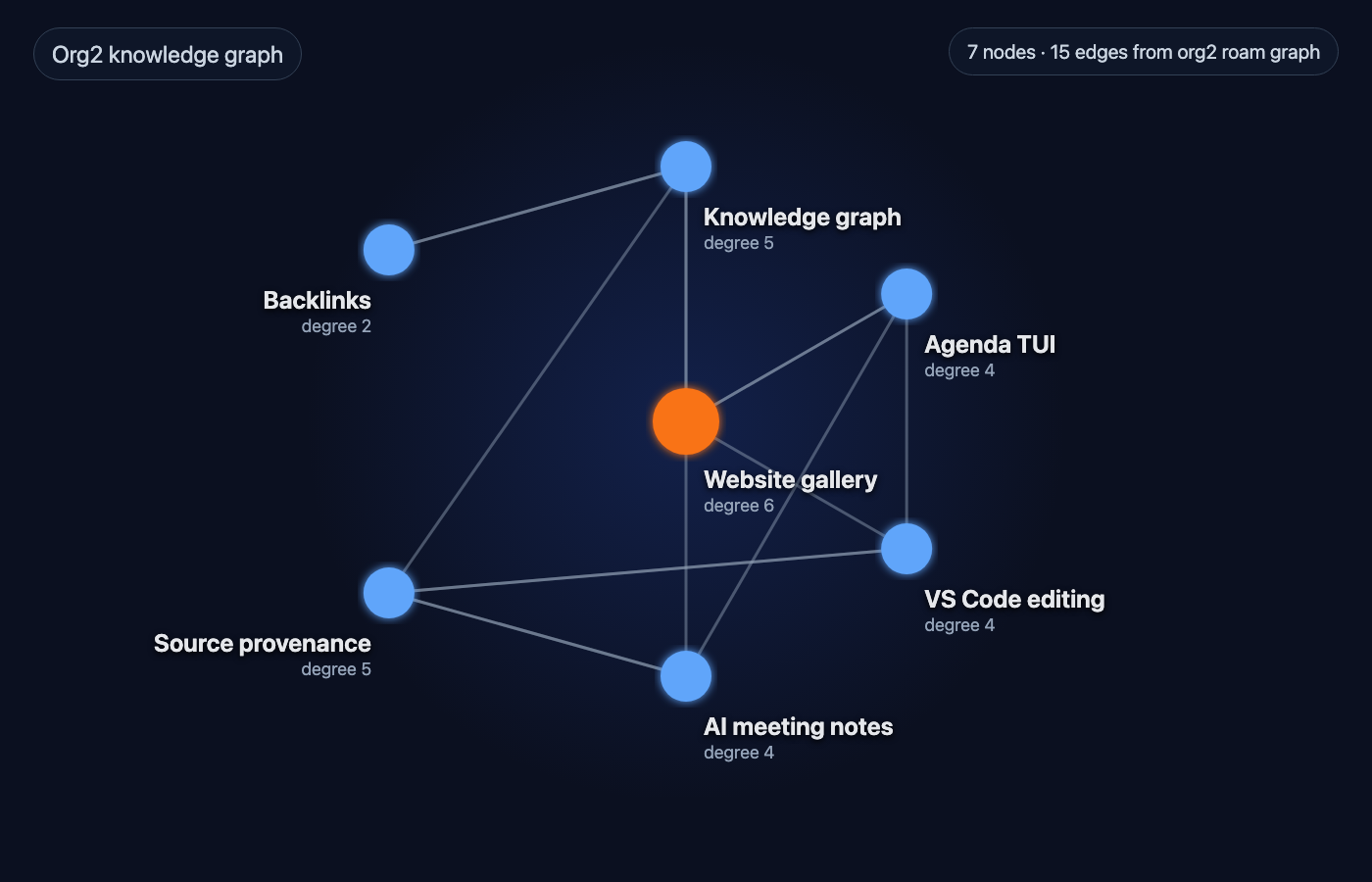
TODO state, schedules, deadlines, priorities, effort, tags, IDs, aliases, and links remain readable in the note. Org2 turns them into focused agenda views and a navigable knowledge graph.
- Agenda across many files, with date windows, filters, grouping, and real-world TODO vocabularies.
- Stable IDs, backlinks, dailies, node creation, link previews, and graph-health checks.
- Preview-first mutations from the CLI and editors; writes require an explicit apply step.
Planning and graph commands
org2 agenda --dir ~/notes --recursive --tui
org2 roam graph --dir ~/notes --recursive --format report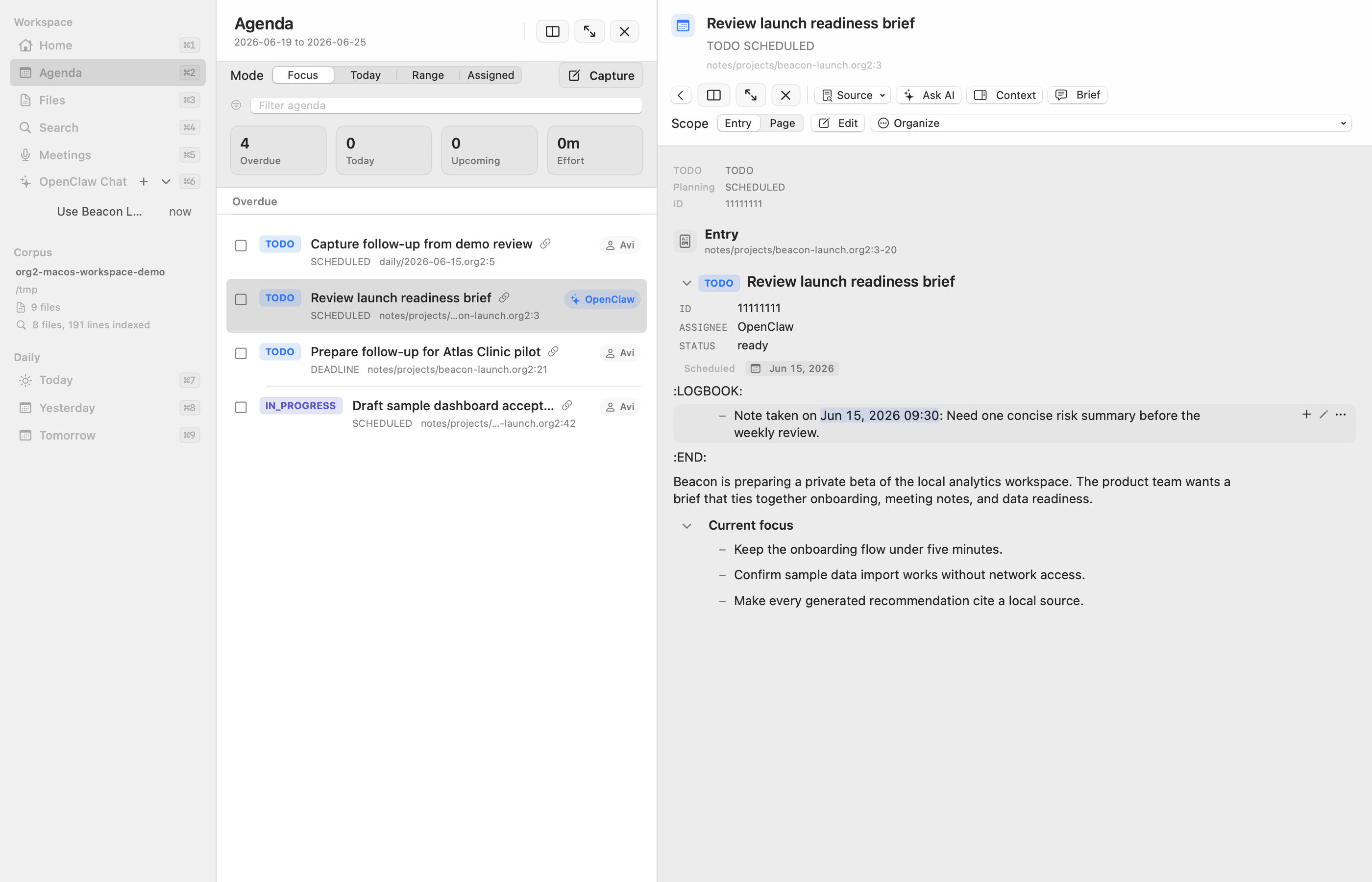
Decisions become durable work
Selected context, citations, plans, outputs, validation, clarifications, and approvals stay together while the work moves. People can see what happened before approving a consequential action—and what evidence proves it finished.
- Bounded context packs carry file-and-line citations instead of an opaque prompt dump.
- Portable goals and named agent profiles separate why and who from runtime, provider, and model identity; resolved refs remain attached to delegated headings, runs, and workflows.
- Generated work lands in reviewable artifact zones before promotion into canonical notes.
- One pending-decision queue combines run-bound approvals with standalone file-backed approvals; run decisions preserve one native ID and immutable review-material fingerprint across CLI, Mac, mobile, and runtime adapters. Decisions are item-scoped, so rejecting one action does not discard sibling approvals from the same batch.
- Recurring workflow executions roll up under stable logical work while retaining separate scheduler attempts, and event/fresh-path gates skip unchanged expensive work.
- A read-only workspace doctor finds contradictory run and approval state, duplicate decision identities, broken projections, and unmanaged recurring work before another agent acts.
- Atomic revision-checked run and workflow writes reject stale clients and ambiguous direct edits instead of silently replacing newer work.
- Per-account work ledgers keep stable identity, curated context, linked approvals, contact receipts, and idempotent history queryable without one ever-growing agent file.
- Runtime adapters can add native lifecycle and scheduling behavior, while CLI, MCP, and plain files keep the underlying work portable across agents and models.
Context and review commands
org2 agent context --query "launch risks" --dir ~/notes --recursive
org2 doctor --dir ~/notes --json
org2 ledger list account-outreach --eligible --dir ~/notes --json
org2 approvals --dir ~/notes --recursive --format json
org2 review list --status pending --dir ~/notes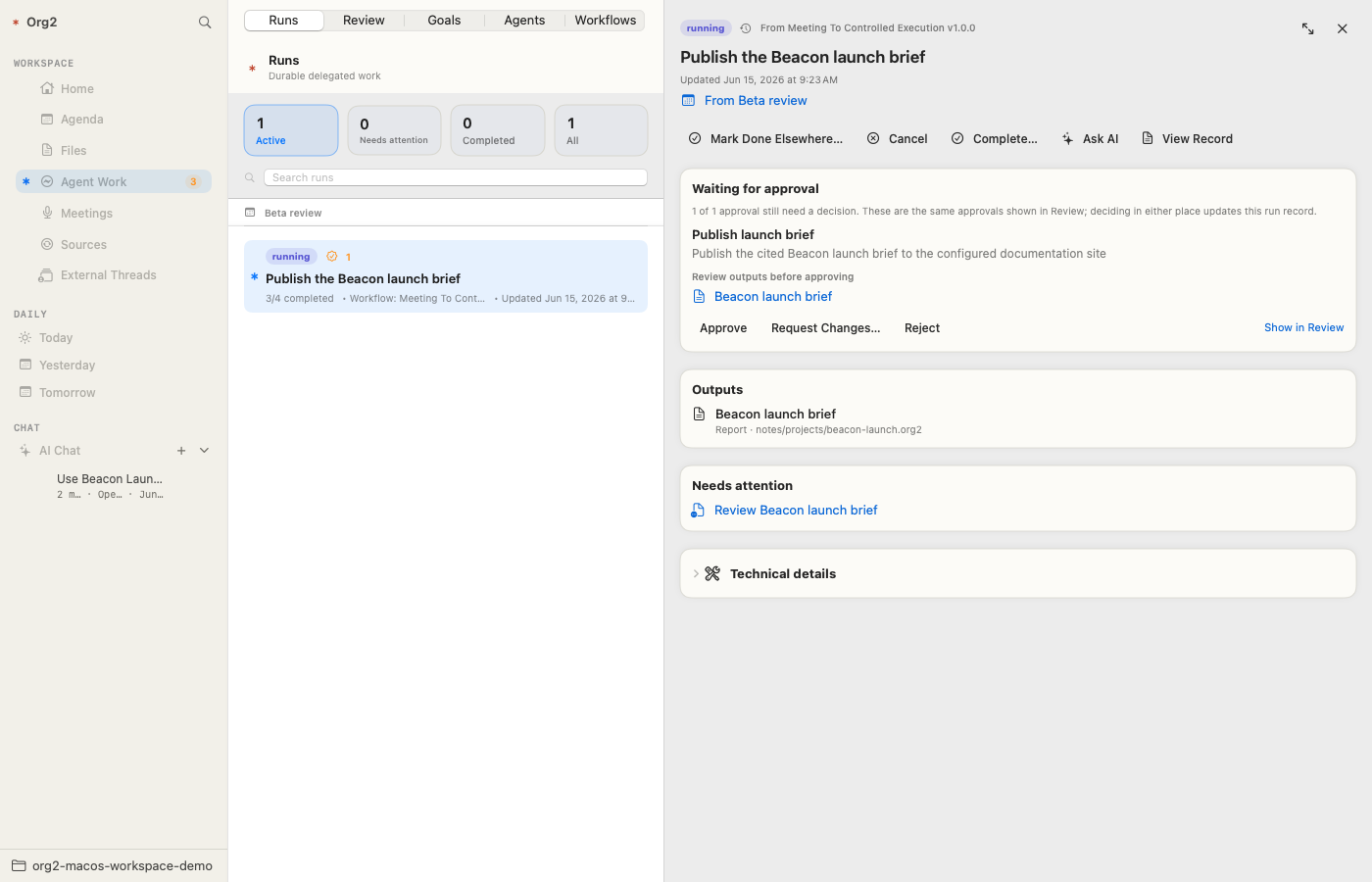
One conversation, many agents
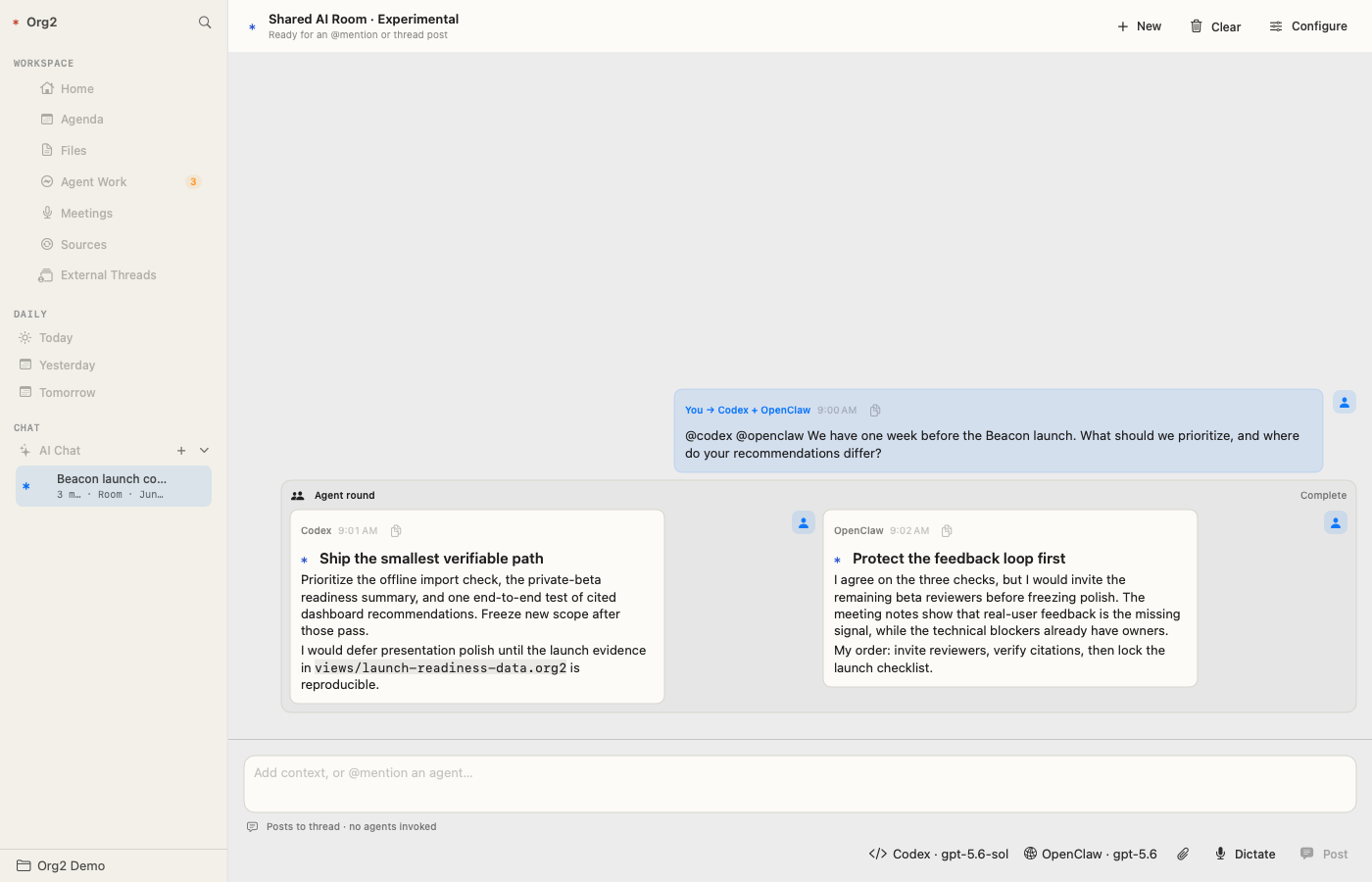
A shared AI room lets you bring any named local, remote, hosted, or self-hosted destination into one corpus-grounded conversation. Every participant sees the same bounded transcript, keeps its own identity and model, and answers inside one visible agent round.
- Mention
@research,@writer,@local-model, or any destination you configure;@allasks every participant. - Responses stay grouped beneath the question that invoked them, with separate progress, model selection, and failure state for each agent.
- Mentioning another agent from a single-agent thread automatically forks it into a shared room, leaving the original conversation untouched.
- Agents can disagree, compare approaches, or propose explicit handoffs without Org2 hiding an autonomous loop behind the interface.
Data notebooks keep evidence close
Org2 notes can declare local or configured remote datasets, reusable SQL views, materialized results, freshness policy, and deterministic charts. Refresh is explicit; merely opening or publishing a document never runs a warehouse query.
- DuckDB-backed CSV, Parquet, JSON, table, ClickHouse, and Metabase inputs.
- Provenance-stamped result tables and source-aware chart definitions.
- Named external credential profiles; inline secrets are rejected.
Inspect or materialize a result
org2 query-data --file notes/readiness.org2 --inspect
org2 query-data --file notes/readiness.org2 --results weekly --apply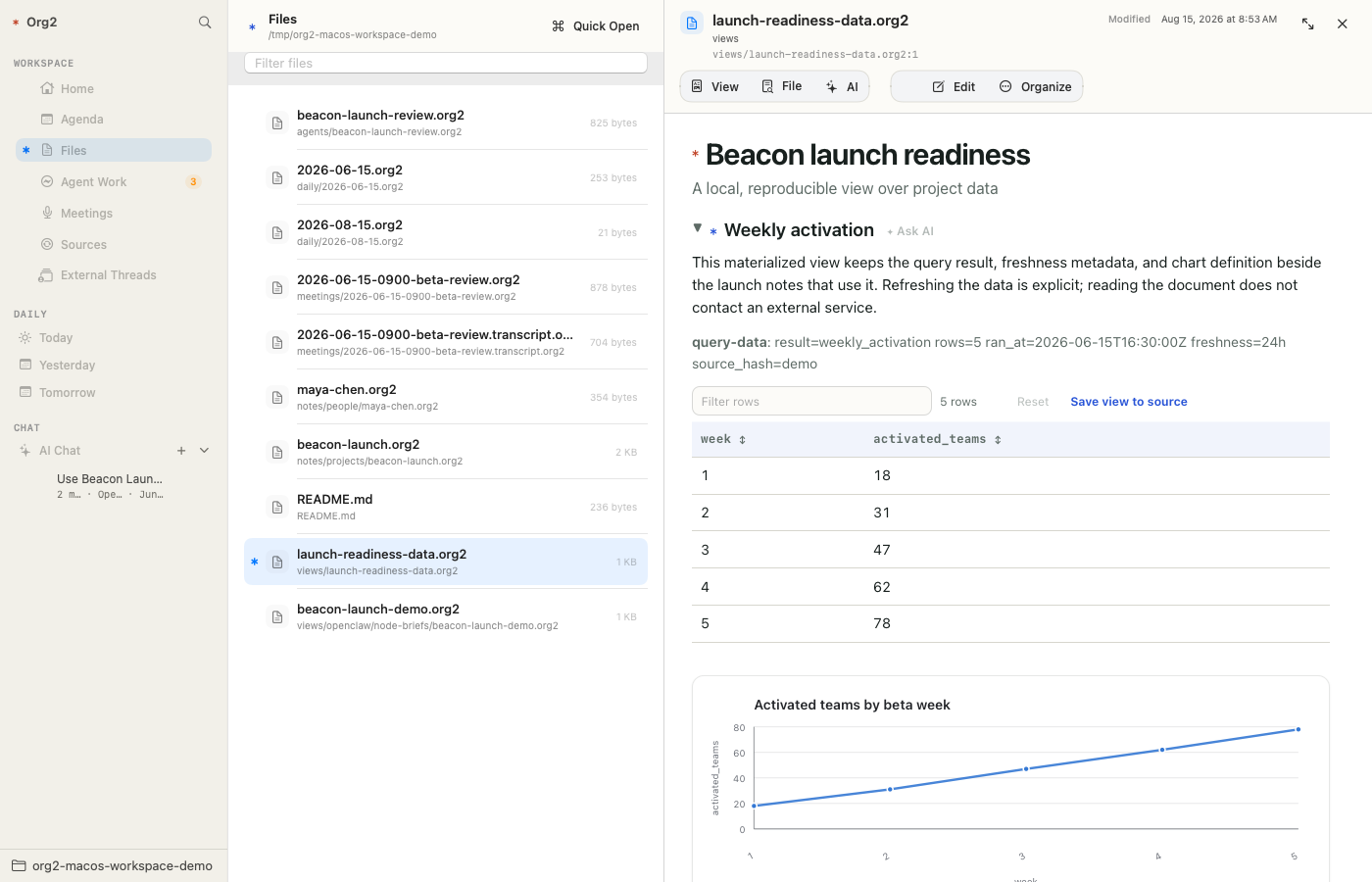
Meetings become source-backed context
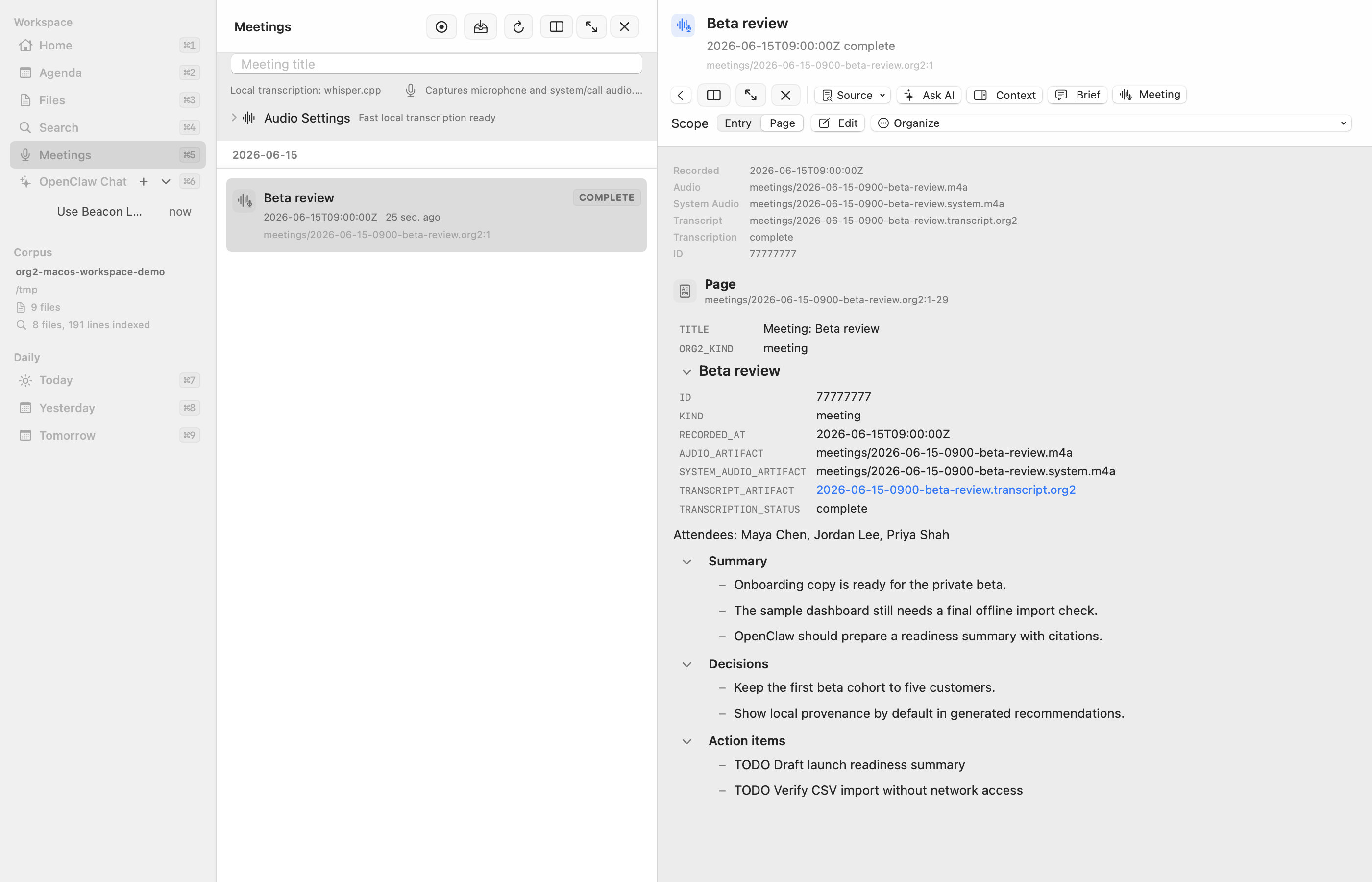
The macOS Workspace can record or import a meeting, keep audio and transcripts local, and render summaries, decisions, and follow-ups from ordinary files. Those records can then feed agenda items, cited agent runs, entity pages, and reports.
- Local-first transcription with explicit artifact paths and status.
- A Mac-owned completion hook can route each freshly transcribed meeting to a named agent and new or existing thread exactly once, without replaying historical files.
- Event and timeline metadata for connecting meetings, people, projects, and later work.
- Person pages surface a compact live view of direct and meeting-inherited action items without generating a full brief.
- Raw evidence, curated notes, generated drafts, and published output retain provenance.
Bring in context without surrendering control
Source profiles stage external material as inspectable captures with stable identity and provenance. The boundary is designed for ingestion plugins, so messages, documents, issues, mail, datasets, and future sources can enter the same reviewable flow.
Pluggable by design
A source adapter supplies bounded records and provenance; Org2 supplies the shared staging, review, linking, and promotion semantics.
Local and inspectable
Machine bindings and credentials stay outside canonical notes. Staged files retain stable source IDs, timestamps, hashes, URLs, and provenance.
Review before promotion
Imported material lands under configured raw and views zones. People and agents can redact, verify, and promote selected knowledge without treating an external mirror as canonical truth.
Useful outputs, not just answers
Agent work can finish as a talk, an evidence-backed analysis, a customer quote, marketing collateral, or a published site. The artifact stays connected to the source material and approvals that produced it.
Develop the narrative beside its research, preview the deck in the Mac app, and export Beamer-compatible TeX or a presentation-ready PDF.
Turn approved source material into quotes, reports, and marketing collateral, then export a clean reading-layout PDF.
Publish one document or a complete project with navigation, styles, rewritten links, and generated indexes. This documentation site is built by Org2.
Render a talk, document, or site
org2 fmt --dir ~/notes --recursive --check
org2 publish docs-site --config org2.json --preview
org2 export beamer --file talk.org2 --pdf --applyCurrent feature coverage
A scan-friendly inventory of the broader surface available today.
Plain-text core
- Headings, drawers, properties, TODOs, planning, links, blocks, tables, timestamps
- Explicit portable foreground/background bindings for inline text and whole table cells
- Capture, archive, refile, canonical formatting
- HTML/site publishing plus Beamer-compatible presentation export
- Source ranges and structured compiler output
Knowledge + planning
- Agenda CLI, JSON, TUI, VS Code, and Mac surfaces
- IDs, backlinks, dailies, nodes, link insertion, graph reports
- Cited search, query, entity pages, and context bundles
- Linkify previews and review-only semantic suggestions
Agents + review
- Durable runs, workflows, plans, steps, budgets, comments, retries
- Single-agent threads or shared rooms spanning arbitrary named local, remote, hosted, and self-hosted destinations, with explicit
@mentions,@all, per-agent models, and independent progress - Idempotent, agent-attributed background posts can reach any named AI chat without starting or steering a turn
- A fresh successful meeting transcription can automatically queue a configurable prompt to a named agent and thread exactly once, without historical replay
- Active-corpus
.agents/skillsdiscovery and autocomplete for user-invocable AI skills - Native AI context settings for persistent custom instructions and current- or all-loaded-corpora read access
- In-flight chat stays bound to its originating write corpus and authorized read roots while the visible workspace switches
- Reversible active/settled chat history with shared inactivity policy
- Mac-local read, preview, and apply tools that preserve unsaved editor drafts and exact per-turn diffs
- Artifacts, validation, approvals, review queues, outcome records
- Pluggable runtime lifecycle and schedule integration
- MCP resources, prompts, tools, client discovery, and snapshots
Data + provenance
- Datasets, SQL views, materialized results, deterministic charts
- Artifact roles, dependency graphs, freshness, and rebuild plans
- Meeting, event-stream, timeline, and data-link records
- Evaluation fixtures and sanitized workflow replay
Editors + clients
- Native macOS Workspace and mobile approval flows
- Ephemeral filtering, sorting, and resizing for rendered Org tables, with confirmed persistence of the visible view
- In-app CSV table and raw-text editing from corpus files or document links
- VS Code commands plus shared LSP capabilities
- Vim / Neovim and Emacs integration paths
- CLI JSON for scripts and additional clients
Safety + portability
- Local files stay canonical and Git-reviewable
- Preview-first mutations and explicit approval gates
- GPG-backed per-subtree, multi-recipient encryption
- Portable personal, shared, and project corpus identity
Where to start
CLI + VS Code is the simplest path today. Add the macOS Workspace when you want richer agenda, meeting, data, and agent-review surfaces.